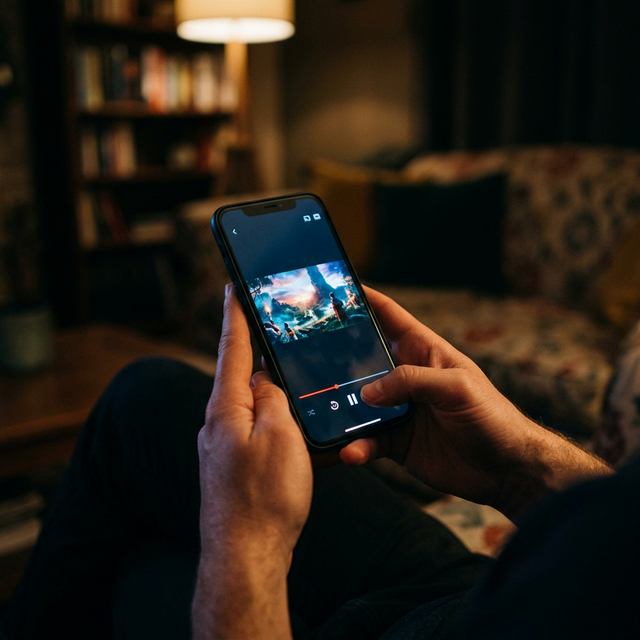
Complete Cord Cutting Guide USA: Save $1,200+ Per Year
Right now, somewhere in America, a family is opening their monthly cable bill and wondering how it got this high. The number keeps climbing. It climbed last year, the year before that, and it will climb again next quarter. They watch maybe 15 channels out of the 250 they pay for. They have three cable boxes renting at $12 each. They are locked into a two-year contract they signed because the promotional rate sounded reasonable at the time. That promotional rate expired eight months ago.
If that sounds familiar, this guide was written for you. We are going to walk through the actual math behind cable television costs in America, explain why 2026 is the year cord cutting finally became a no-compromise proposition, give you a step-by-step process for canceling cable without losing access to anything you watch, and show you exactly how IPTV replaces everything cable does at a fraction of the price. No vague promises. Real numbers, real steps, real savings.
The True Cost of Cable TV in America
The cable industry has perfected the art of making your bill look smaller than it actually is. That $89.99 per month advertised rate for the mid-tier package looks reasonable until you receive your first bill and discover it is actually $147. Here is where the money goes.
The base package price is just the starting point. On top of that, you pay a broadcast TV fee ranging from $15 to $26 per month. This fee supposedly covers the cost of retransmitting local network channels that you could pick up for free with a $20 antenna from Best Buy. Then there is the regional sports network fee, typically $10 to $22 per month, charged whether you watch sports or not. Comcast, Spectrum, DirecTV, and Cox all charge this fee, and it has increased by 40 percent or more over the past three years alone.
Equipment rental is another quietly devastating line item. Each set-top box costs $7 to $15 per month to rent. A household with three televisions pays $21 to $45 per month just for the privilege of using hardware that the cable company owns and will demand back when you cancel. Add a DVR to one of those boxes and tack on another $10 to $20 per month. HD technology fees, which should be embarrassing to charge in 2026, still appear on bills at $5 to $10 per month.
When you total everything, the average American cable subscriber pays $152 per month according to industry tracking data. That is $1,824 per year. Families with premium add-ons like HBO, Showtime, and Starz regularly exceed $200 per month, pushing annual spending past $2,400. Over a five-year period, a typical cable household spends $9,000 to $12,000 on television. Over a decade, that number crosses $18,000 to $24,000. That is a car. That is a year of college tuition at a state university. That is money that disappeared into set-top box rental fees and broadcast surcharges.
And here is the part that makes it worse: cable prices increase every single year. The annual rate increase averages 8 to 12 percent. Your bill today is lower than your bill will be next January. The promotional rate you locked in expires, and the real price hits your account like a freight train. Cable companies count on inertia. They count on you being too busy or too frustrated to cancel. They have built their entire business model around the assumption that switching is too much hassle.
It is not. Not anymore.
What Is Cord Cutting and Why Now?
Cord cutting means canceling your traditional cable or satellite television subscription and replacing it with internet-delivered alternatives. The concept has existed since the early 2010s when Netflix and Hulu first started pulling viewers away from scheduled programming. But early cord cutting required real sacrifice. You gave up live sports. You gave up local news. You dealt with a fragmented experience spread across five or six different apps, each charging its own monthly fee. Many early cord cutters went back to cable within a year because the alternative just was not ready.
That era is over. Three things changed between then and now that make 2026 the definitive tipping point for cord cutting in the United States.
First, American internet infrastructure caught up. The average US broadband speed now exceeds 200 Mbps. Fiber availability has expanded into suburban and even rural markets that were stuck on DSL five years ago. A reliable 4K video stream requires about 25 Mbps. Most American households have eight to ten times that bandwidth available. Buffering, which plagued early IPTV adopters, is functionally extinct for anyone with a modern internet connection.
Second, IPTV technology matured dramatically. Modern IPTV services deliver 29,500 or more live channels with electronic program guides that look and behave exactly like a cable guide. Anti-freeze technology maintains smooth playback during peak hours. Catch-up features let you watch anything from the past seven days. The gap between the cable experience and the IPTV experience has closed completely, and in many ways, IPTV now provides the superior user experience.
Third, the economics became impossible to ignore. While cable prices have increased 8 to 12 percent per year, IPTV subscription costs have held steady or dropped. The price gap between cable and IPTV is now so wide that staying with cable is effectively choosing to overpay by $100 or more every single month for an inferior product. Over 50 million American households have already made the switch, and the pace of cancellations accelerates every quarter.
Step-by-Step: How to Cancel Cable
Canceling cable is not complicated, but doing it in the right order saves you from unnecessary fees and ensures you never experience a gap in your entertainment. Follow these six steps exactly.
Step 1: Audit your viewing habits. For one week, write down every channel and show someone in your household watches. Most families discover they use 12 to 20 channels out of the 200 or more they pay for. This list becomes your checklist when evaluating IPTV services. If your family watches ESPN, HGTV, Fox News, Cartoon Network, and your local CBS affiliate, those specific channels need to be available in your replacement service.
Step 2: Check your internet speed. Go to fast.com or speedtest.net and run a test. You need 10 Mbps for a single HD stream and 25 Mbps for 4K. If three people in your house stream simultaneously in 4K, you need about 75 Mbps. Most American internet plans already exceed this comfortably. If you currently have a cable and internet bundle, call your provider and ask for the price of internet-only service. This switch alone often saves $50 to $80 per month before you even set up IPTV.
Step 3: Choose and purchase a streaming device. If your TV was made after 2022, it likely has smart TV capabilities built in. Otherwise, grab an Amazon Fire TV Stick 4K Max for $55 or an Apple TV 4K for $129. Plug it into your TV's HDMI port. That is the entire hardware setup. Compare this to waiting for a cable technician to show up during a four-hour appointment window.
Step 4: Sign up for an IPTV service and test it. ManIPTV offers a free 24-hour trial, which gives you enough time to flip through channels, test picture quality, check sports coverage, and let every family member try the interface. Test during prime time between 7 PM and 10 PM when internet traffic peaks. If everything works, and it will, move to step five.
Step 5: Cancel your cable subscription. Call your cable company's retention department directly. The agent will offer you discounts, promotional rates, and free upgrades. Decline all of them. These offers are temporary. Within 6 to 12 months, your bill returns to full price or higher. Be firm, be polite, and be done. Ask for written confirmation of cancellation. Return all equipment within the timeframe they specify, and keep every receipt.
Step 6: Renegotiate your internet plan. Now that you only need internet from your provider, you have leverage. Internet-only plans from Comcast, Spectrum, AT&T, and Cox typically run $50 to $80 per month for speeds well above what IPTV requires. If your provider tries to charge more, mention that you are comparing plans from competitors. Retention departments have access to better pricing than what is advertised online.
IPTV: The Best Cable Replacement
IPTV stands for Internet Protocol Television. Instead of receiving TV signals through a coaxial cable or satellite dish, you receive them through your internet connection. The content is identical. The channels are the same. The picture quality is the same or better. The only difference is the delivery method and the price.
A premium IPTV service like ManIPTV delivers over 29,500 live channels. That number is not a typo. Your cable package gives you 200 to 300 channels, most of which you never watch, for $150 per month. ManIPTV gives you 29,500 channels covering every country, every language, every sport, every genre, and every network for a fraction of that price.
The channel lineup includes every American network and cable channel: ABC, CBS, NBC, Fox, PBS, ESPN, CNN, MSNBC, Fox News, HGTV, Discovery, TBS, TNT, USA, AMC, FX, Bravo, Comedy Central, Nickelodeon, Disney Channel, Cartoon Network, Food Network, and hundreds more. Premium channels like HBO, Showtime, Starz, and Cinemax are included in the base subscription at no extra charge. With cable, adding HBO alone costs $16 per month. Adding the full premium tier costs $40 to $60 per month on top of your already bloated bill.
ManIPTV also includes an on-demand library of over 80,000 movies and TV series. New releases appear within days of their premiere. This replaces the need for separate Netflix, Hulu, or Disney Plus subscriptions for most households. Combined with the live channel lineup, you get a single service that replaces cable, replaces most streaming subscriptions, and costs less than any one of them individually.
Picture quality is 1080p Full HD on standard channels and 4K Ultra HD on premium sports, movie, and documentary channels. Anti-freeze technology built into the ManIPTV infrastructure prevents buffering even during peak demand events like the Super Bowl or the NBA Finals. The service maintains 99.9 percent uptime backed by redundant server architecture. And if you ever need help, 24/7 customer support is available via WhatsApp at +1 (559) 508-2154.
Sports Coverage: NFL, NBA, NHL, MLB — Every Game
Sports are the single biggest reason Americans stay tethered to cable. The fear of missing your team's games is powerful, and cable companies exploit it ruthlessly. Regional sports network fees exist specifically because they know sports fans feel trapped. But IPTV has eliminated every sports-related reason to keep cable.
NFL coverage through ManIPTV is complete. Every game on CBS, Fox, NBC, ESPN, and NFL Network is included. Thursday Night Football on Amazon is available. NFL RedZone, the must-have channel for fantasy football managers, is part of the standard lineup. Out-of-market games that normally require an expensive NFL Sunday Ticket subscription are accessible. Whether you are a Bears fan in Miami, an Eagles fan in Seattle, or a Chiefs fan in Boston, every snap of every game throughout the preseason, regular season, playoffs, and Super Bowl is available on your screen.
NBA coverage is equally thorough. National broadcasts on ESPN, TNT, and ABC are included. Regional sports networks carrying your local team, whether that is Spectrum SportsNet for the Lakers, MSG for the Knicks, NBC Sports Boston for the Celtics, or NBC Sports Chicago for the Bulls, are all part of the ManIPTV channel package. NBA TV provides additional coverage of out-of-market games. The entire playoffs and NBA Finals are fully accessible.
NHL fans get ESPN and TNT national broadcasts plus every regional sports network carrying local team games. The Stanley Cup Playoffs and Finals are fully covered. Hockey fans who follow out-of-market teams get access equivalent to what the NHL Center Ice package provides, except it is included in the standard IPTV subscription at no additional charge.
MLB presents the trickiest coverage challenge for cord cutters because baseball's 162-game season relies heavily on regional sports networks. Most MLB games air on RSNs like YES Network, NESN, Marquee Sports Network, and the various Bally Sports channels. ManIPTV includes every one of these networks. National broadcasts on ESPN, Fox, TBS, and MLB Network are included as well. From Opening Day through the World Series, every pitch is covered. No blackouts. No restrictions. No need for separate MLB.TV or Extra Innings packages.
College sports are also fully represented. The ESPN family of channels including ESPN, ESPN2, ESPNU, ESPNews, SEC Network, and ACC Network delivers the bulk of college football and basketball coverage. Fox Sports 1, Fox Sports 2, and the Big Ten Network cover their respective conferences. CBS Sports Network rounds out the lineup. March Madness, the College Football Playoff, bowl season, and rivalry weekends are all available in full.
How Much Will You Save?
Let us lay out the numbers with precision so there is no ambiguity about the financial impact of cutting the cord.
Start with your current cable costs. The average American cable subscriber pays $152 per month. If you have premium channels, you are closer to $190 to $210 per month. We will use $152 as the baseline for this breakdown since it represents the national average.
- Current cable TV cost: $152/month ($1,824/year)
- Cable equipment rental (2 boxes): $24/month ($288/year)
- DVR fee: $15/month ($180/year)
- Premium channel add-ons (HBO, Showtime): $32/month ($384/year)
- Total cable cost for a typical household: $223/month ($2,676/year)
Now compare that to the cord cutting setup cost.
- Internet-only plan: $65/month ($780/year)
- ManIPTV subscription: fraction of current cable cost per month
- Streaming device (one-time): $55 for Amazon Fire TV Stick 4K Max
- Second streaming device (one-time): $55 for a second TV
- Total first-year cost with IPTV: dramatically less than cable
- Total annual cost after first year (no hardware purchase): even lower
The annual savings for most American households fall between $1,200 and $2,000. For families with premium cable packages, the savings exceed $2,000 per year. And unlike cable, the IPTV cost does not increase by 8 to 12 percent every year. The savings compound over time because cable prices keep rising while your IPTV cost stays flat.
Here is what those savings look like over time. After one year, you have saved enough for a weekend getaway or a major appliance. After three years, you have saved enough for a family vacation to Disney World. After five years, you are looking at $6,000 to $10,000 in cumulative savings. After ten years, $12,000 to $20,000 or more. Invested in an index fund averaging 8 percent annual returns, ten years of cable savings grows to over $25,000. That is real, life-changing money recovered from set-top box rentals and broadcast TV fees.
Best Devices for Cord Cutters
The streaming device you choose affects your daily viewing experience. Here are the best options for American cord cutters in 2026, ranked by value.
The Amazon Fire TV Stick 4K Max at $55 is the best all-around choice for most households. It supports every major IPTV app, delivers smooth 4K playback, includes Alexa voice control for hands-free channel changes, and plugs directly into any TV with an HDMI port. Setup takes five minutes. It is the most popular IPTV device in America for good reason.
The Nvidia Shield TV Pro at $200 is the premium option for home theater enthusiasts. It has the most powerful processor of any streaming device, exceptional AI-powered upscaling that makes HD content look near-4K, Dolby Atmos audio support, and a built-in Plex media server. If you have a high-end TV and sound system, the Shield extracts every bit of quality from your IPTV streams.
The Apple TV 4K at $129 is the right choice for households already invested in the Apple ecosystem. AirPlay support means you can cast from your iPhone or iPad instantly. The interface is polished and fast. App support is excellent. If everyone in your house uses iPhones, the Apple TV integrates seamlessly.
Budget Android TV boxes ranging from $40 to $100 work well for secondary TVs in bedrooms or guest rooms. Look for at least 4 GB of RAM and 32 GB of storage. Avoid no-name boxes with 1 GB of RAM, as they struggle with HD streams and crash frequently.
Smart TVs manufactured after 2022 by Samsung, LG, Sony, and TCL can run IPTV apps directly without any external device. Check if your TV supports the IPTV app your service recommends. If it does, you do not need to spend a dollar on hardware.
MAG boxes at $80 to $120 are purpose-built IPTV devices with simple remotes and interfaces designed to mimic the cable experience as closely as possible. They are ideal for older family members who want the least amount of change from their cable routine.
IPTV vs YouTube TV vs Hulu Live vs Sling TV
Before choosing an IPTV service, many cord cutters consider the mainstream live TV streaming options. Let us compare them honestly so you can make an informed decision.
YouTube TV costs $73 per month and includes around 100 channels. It covers the major broadcast networks and popular cable channels. Sports coverage is decent with ESPN, Fox Sports, and CBS Sports included. However, it lacks premium channels like HBO and Showtime unless you pay extra. There is no international channel coverage. The DVR is unlimited, which is genuinely useful. But at $73 per month, you are spending $876 per year for 100 channels with no VOD library.
Hulu Plus Live TV costs $77 per month and includes a similar channel lineup to YouTube TV plus the Hulu on-demand library, Disney Plus, and ESPN Plus in its bundle. The channel count is roughly the same at about 95 live channels. Sports coverage is comparable. The combined on-demand library is a real advantage. But the price is high, the live TV interface is clunkier than YouTube TV, and you are still limited to under 100 live channels. Annual cost: $924.
Sling TV is the budget option at $40 per month for Sling Orange or Sling Blue, or $55 for both combined. The trade-off is a significantly reduced channel lineup. Sling Orange gives you ESPN but not Fox. Sling Blue gives you Fox but not ESPN. Neither includes every local channel. Sports coverage has noticeable gaps depending on which plan you choose. Annual cost for the combined plan: $660, but with significant content compromises.
ManIPTV delivers over 29,500 channels, full 4K streaming, every sports channel available in America, every regional sports network, every premium channel including HBO, Showtime, Starz, and Cinemax, an 80,000-title VOD library, anti-freeze technology, and 24/7 customer support. The price is a fraction of what YouTube TV, Hulu Live, or even cable charges. You are not choosing between packages or deciding which sports network to sacrifice. You get everything.
The comparison is not even close. The mainstream services charge premium prices for limited channel lineups, no international coverage, and stripped-down sports packages. ManIPTV charges less and delivers exponentially more.
Setting Up Your Cord-Free Home
A well-optimized home network is the foundation of a great cord-free experience. Here is how to set up your home for the best possible IPTV performance.
Start with your router. If your Wi-Fi router is more than three years old, upgrade to a Wi-Fi 6 or Wi-Fi 6E model. These routers handle multiple simultaneous video streams without the congestion problems that plague older hardware. Place the router in a central location, not stuffed behind a cabinet or in a corner closet. For large homes or multi-story houses, a mesh Wi-Fi system like Google Nest, Eero, or TP-Link Deco extends strong coverage to every room.
For your primary living room TV, use an Ethernet connection if possible. Run an Ethernet cable from your router to your streaming device. Wired connections are always more stable than wireless, and they eliminate any potential Wi-Fi interference issues during high-demand viewing like the Super Bowl or a Game 7.
Set up each TV in your home with its own streaming device. Install the IPTV app, enter your credentials, and customize the channel favorites for whoever uses that TV most. The kids' TV gets Cartoon Network, Nickelodeon, and Disney Channel pinned to favorites. The bedroom TV gets your local news and late-night shows. The living room gets the full sports lineup front and center. This takes about ten minutes per TV and creates a personalized experience that cable boxes never offered.
Install the IPTV app on every phone and tablet in the household. This turns every device into a portable TV. Watch the game in the backyard during a barbecue. Catch up on the news during your commute. Stream a movie on your iPad in bed. IPTV goes wherever your internet connection goes, which in 2026 is essentially everywhere.
A four-TV home with cable typically pays $30 to $60 per month in extra equipment rental fees and outlet charges. With IPTV, you buy four streaming devices once for about $55 each, a total of $220, and you are done. No monthly equipment fees. No technician visits. That $220 one-time cost versus $360 to $720 per year in cable equipment rental tells you everything about which model is designed to benefit the customer.
Common Cord Cutting Myths Debunked
Myth 1: You cannot watch live sports without cable. This is the most persistent myth and the most thoroughly debunked. ManIPTV includes ESPN, Fox Sports, CBS Sports, NBC Sports, NFL Network, NBA TV, NHL Network, MLB Network, and every regional sports network in America. Every NFL, NBA, NHL, and MLB game is available. This myth survives because cable companies actively promote it. It has not been true for years.
Myth 2: The picture quality is worse than cable. The opposite is true. Cable compresses its video signals to fit more channels into limited bandwidth. IPTV services like ManIPTV deliver 1080p and 4K streams that look sharper and more detailed than the compressed HD signal coming through your coaxial cable. Side-by-side comparisons consistently favor IPTV picture quality.
Myth 3: It is too complicated for non-technical people. If you can plug a device into your TV's HDMI port and follow three on-screen prompts, you can set up IPTV. The difficulty level is identical to setting up a Roku or Fire Stick, which tens of millions of Americans have already done without issue. The electronic program guide works just like your cable guide. The remote works just like your cable remote.
Myth 4: You will lose your local channels. Your local ABC, CBS, NBC, Fox, and PBS affiliates are included in IPTV channel lineups. Local morning news, evening news, weather, and emergency broadcasts remain accessible. You lose nothing.
Myth 5: Internet outages mean no TV. Cable outages also mean no TV, and they happen regularly. When your internet drops, you can watch IPTV on your phone using cellular data or create a mobile hotspot for your streaming device. Cable gives you zero backup options during an outage. IPTV gives you at least one.
Myth 6: You need extremely fast internet. A single HD stream requires 10 Mbps. A 4K stream requires 25 Mbps. The average American broadband speed exceeds 200 Mbps. Unless your internet plan dates from 2012, you already have more than enough speed.
Myth 7: Cord cutting means juggling ten different apps. That is true if you try to replace cable with a stack of individual streaming services. IPTV eliminates this problem by putting everything, live channels, sports, news, entertainment, movies, and series, into a single app with a unified program guide. One app. One subscription. One remote.
Your First Month Without Cable
The first week after canceling cable feels strange. Not because anything is missing, but because you keep expecting something to go wrong and it does not. You turn on the TV. The guide loads. Your channels are there. The picture looks great. The game is on. Your spouse finds their shows. The kids find their cartoons. Everything works.
Around day three, you notice something specific: the IPTV guide is actually faster than your old cable guide. Scrolling is smoother. Loading is quicker. The favorites feature means your most-watched channels are one click away instead of buried behind 150 channels you never used. The search function actually works instead of returning irrelevant results. The whole experience is snappier.
By the end of the first week, the family has stopped mentioning cable entirely. The kids figured out the new remote in ten minutes. Your partner discovered the VOD library and started binge-watching a series they had been meaning to watch for months. You watched an out-of-market NFL game that your cable package would have required a $300 Sunday Ticket add-on to access. It was included in your IPTV subscription.
The second week, your old cable company sends a retention offer in the mail. They are willing to give you a promotional rate for six months. You do the math. Even their promotional rate is higher than what you are paying now for IPTV, and their rate expires in six months while yours does not. The letter goes in the recycling bin.
By the end of the first month, you have watched more content than you did with cable because the VOD library opened up thousands of movies and shows you did not have access to before. You have watched games from sports leagues you did not even know you were interested in. You watched Premier League soccer on a Saturday morning because the channel was there and the game was on. You explored international news channels during a major world event because the coverage was available with one click.
And then your first post-cable bank statement arrives. The $152 to $223 monthly cable charge is gone. In its place is a dramatically smaller IPTV charge and your internet-only bill. The difference is sitting in your checking account. It is real. It is yours. And it will be there next month, and the month after that, and every month going forward.
Frequently Asked Questions
How much money will I actually save by cutting the cord?
Most American households save between $1,200 and $2,000 per year by switching from cable to IPTV. The exact amount depends on your current cable package. Families with premium channels and multiple cable boxes save the most. Even conservative estimates consistently exceed $1,000 per year in savings.
Can I watch every NFL, NBA, NHL, and MLB game?
Yes. ManIPTV includes every sports channel available through cable: ESPN, Fox Sports, CBS Sports, NBC Sports, NFL Network, NBA TV, NHL Network, MLB Network, NFL RedZone, and all regional sports networks. Out-of-market games are included. Playoffs, championships, and title games are all covered.
What equipment do I need?
A smart TV or a streaming device like the Amazon Fire TV Stick 4K Max ($55), Apple TV 4K ($129), or Nvidia Shield TV Pro ($200). Most people already own at least one compatible device. Smartphones and tablets work as well.
What internet speed do I need?
10 Mbps for HD streaming, 25 Mbps for 4K streaming. Multiply by the number of simultaneous streams in your household. The average American broadband speed exceeds 200 Mbps, so the vast majority of households are already equipped.
Can I try IPTV before canceling cable?
Absolutely. ManIPTV offers a free 24-hour trial so you can test the service alongside your current cable subscription. No credit card required. No commitment. Contact the ManIPTV team on WhatsApp at +1 (559) 508-2154 to activate your trial.
What about premium channels like HBO and Showtime?
Premium channels including HBO, Showtime, Starz, and Cinemax are included in the standard ManIPTV subscription at no additional cost. Cable companies charge $10 to $20 extra per premium channel. With IPTV, they are part of the base package.
Will I lose my local channels?
No. All local ABC, CBS, NBC, Fox, and PBS affiliates are included. You keep your local news, weather, and emergency broadcasts.
Can multiple people watch different things on different TVs?
Yes. ManIPTV supports multiple simultaneous connections. Each TV in your home can stream a different channel at the same time. No extra fees for additional connections.
How is the picture quality compared to cable?
Equal or better. ManIPTV streams in 1080p Full HD on standard channels and 4K Ultra HD on premium sports, movie, and documentary channels. Cable companies compress their signals, which reduces quality. IPTV streams are cleaner and sharper on modern TVs.
What if I need help setting things up?
ManIPTV provides 24/7 customer support via WhatsApp at +1 (559) 508-2154. Whether you need help choosing a streaming device, installing the IPTV app, configuring your network, or troubleshooting any issue, the support team is available around the clock. Response times are measured in minutes, not the 30-minute hold times you are used to with cable.
The bottom line is straightforward. Cable television in America is overpriced, under-delivering, and getting worse every year. IPTV delivers more channels, better quality, complete sports coverage, and a superior user experience at a fraction of the cost. Over 50 million American households have already figured this out. The only question left is how much longer you want to keep paying $150 or more per month for something you can get for dramatically less.
Contact ManIPTV on WhatsApp at +1 (559) 508-2154 to start your free 24-hour trial today. No credit card. No contract. No risk. Just 29,500 or more channels in 4K quality, every NFL, NBA, NHL, and MLB game, an 80,000-title VOD library, and annual savings of $1,200 or more. Stop overpaying. Start watching.
Ready to Start Streaming?
Get instant access to 20,000+ live channels, 4K streaming, and 80,000+ movies and series.
View Plans & Pricing